Images and Movies In Your Blog

Images and Video in your posts:
I like having [tag]images [/tag]and [tag]video[/tag] in my [tag]blog post[/tag], but only if relevant. Having images in your post seems to engage your reader. I use [tag]Photoshop[/tag] for my blog images. Often times I will take a [tag]screen shot[/tag] of an image, open in PS, and then edit, save upload. This process works but opening PS takes forever!!

The Need:
I wish there was an online tool I could use to create images for my blog. Opening Photoshop takes time and computer resources. It’s kind of like watering your lawn with a fire hose. You simply don’t need that much power. Everything out there seems to be an application I have to download. I want something online.

The Solution:
An online [tag]photo-editing tool[/tag]. I have tried many but none with much luck. It’s really simple if you think about it, all I want is to print screen, past in a canvas crop and edit with text, or drawings and save as a gif or jpeg.

The Results of my research:
So far, I have not found anything like this. This would be an awesome tool for the [tag]blogging world[/tag].

If I find something, I will keep you posted and you guys do the same.

P.S. It took 18 seconds to open up Photoshop

box_photoshop_cs3_150x150.gif

Learn SEO from Sergey Brin of Google

[tag]UC Berkley[/tag] has put many of their [tag]video-taped[/tag] lectures online using [tag]youtube.com[/tag] as their delivery platform. I found a lecture by [tag]Sergey Brin[/tag] co-fonder of [tag]Google[/tag], discussing [tag]search engines[/tag] and the Google [tag]Algo[/tag]. He does a high-level history of search, Google’s algorithm and [tag]Adsense[/tag]. This is very interesting stuff. Check out UC Berkley’s youtube page here.

This is the video:
[youtube]http://youtube.com/watch?v=Ka9IwHNvkfU[/youtube]

Google’s “mission” at the beginning was, “[tag]Search for Kings.[/tag]” Not to find a king, but create a product what is worthy of a king’s attention. Customer and product comes first! Love it! This is core to a successful business.

Check out the lecture below:

Try Mango Update

try_mango_working.gif
Try Mango is now working!!!

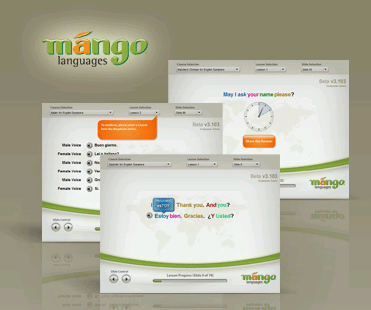
I posted about a site called [tag]TryMango.com[/tag] and was not very happy that the site did not work at all in any browser! One of my life goals is to [tag]learn Spanish[/tag] so I kept trying and to my shear joy, yesterday the site worked.

I tried a few of the lessons and I was impressed. This weekend when I have more time to play with it, I will get a better idea of how good of a learning tool it will be for me.

Yahoo Search Updated

new_yahoo_search_tool.gif
Today [tag]Yahoo[/tag] has added a new feature to it’s search. The new feature is similar to the [tag]Google toolbar [/tag]recommended [tag]search results[/tag]. As you type your search query Yahoo opens a [tag]widget[/tag] below with recommended search terms. I assume they are suggesting terms that they know are similar, based on user data. I am a big fan of the feature, so I can’t wait to try it out.

Making WordPress SEO Friendly URLS

SEO_WP_image.gifI put together a short video on how to make your [tag]WordPress blog[/tag] [tag]URL[/tag]s [tag]search engine friendly[/tag]. It’s a simple task, but can help you out tremendously in your effort to [tag]rank[/tag] on the front page of the major search engines.

How it works: WordPress takes advantage of the [tag].htacess file[/tag] to do a [tag]URL re-write[/tag].

The default setting: http://www.trafficisgold.com/?p=123

URL re-write change: http://www.trafficisgold.com/2007/09/24/wordpress-23-is-now-available/

Check out the video and if you have any questions just leave a comment and I will see what I can do to help.